Showing posts with label Update. Show all posts

Friday, June 22, 2018

Wednesday, January 10, 2018

How To Disable iOS Software Update Alerts On iOS 11-11.1.2- iPhone, iPad, iPod Touch {New video 2018}


Link to Download Tweak box :- http://tweakboxapp.com

Follow Me On Twitter:- 


Website :- http://bit.ly/NepiP 
For more video:- http://bit.ly/zOri2C
Please Subscribe me for more videos 
Rate if You Like This Video
And comments if you have any Question

Friday, August 11, 2017

How To Disable iOS Software Update Alerts On iOS 11,10.3.3,10 | iPhone, iPad, iPod Touch


Link to Download Profile :- http://bit.ly/2tLxPbG
Follow Me On Twitter:-
https://twitter.com/iPhoneNep


Website :- http://bit.ly/NepiP
For more video:- http://bit.ly/zOri2C
Please Subscribe me for more videos
Rate if You Like This Video
And comments if you have any Question

Friday, May 3, 2013

TinyUmbrella updated with support for iOS 6.1.4

shsh tinyumbrella
Earlier today, Apple unexpectedly released a new version of iOS. The update brought the firmware to version 6.1.4, and only included a single item in its change log: an updated audio profile for the iPhone 5.
Folks who are currently jailbroken on iOS 6.1.2 or lower should obviously stay away from the evasi0n-killing software. But for those of you who already updated, there’s a new version of TinyUmbrella out…
This afternoon, notcom posted on the TinyUmbrella blog that a new version of the popular SHSH blob-saving tool was out with support for today’s iOS update. So if you’re on an iPhone 5, running iOS 6.1.4, you’ll want to grab it.
We’re often asked why we recommend saving SHSH blobs for firmware that won’t likely be jailbroken. And the answer is, it’s better to be safe than sorry. There’s no way of knowing what will come in handy down the line, and what won’t.
As always, you can find the latest version of TinyUmbrella on our Downloads page. And if you need help, we have an excellent step-by-step tutorial on how to backup your iOS device’s SHSH blobs using the app.
Any questions?

Sunday, February 24, 2013

iFaith Update To v1.5.3 (For iOS 3.x.x to 6.1.2)

iFaith Update to Version 1.5.3 to Support 6.1.2.

Changelog:


  • 1.5.3: Now dumps 3GS/A4 devices running iOS 6.1.2.
  • 1.5.3: Fixed Windows XP USB issues.
  • 1.5.3: Fixed annoying bug when downloading blobs from server(s).
  • 1.5.3: More bug fixes
  • 1.5.3: Minor UI improvements.
  • 1.5.3: More iPhone 4-Rev2 fixes (Still needs more feedback).


  •  Download iFaith v1.5.3 

    Friday, February 1, 2013

    Instagram Update To Version 3.4.2 For iOS

    Download App :- Click Here

    How To Update Your iPhone, iPad and iPod Touch To iOS 6.1


    How To Update Your iPhone, iPad and iPod Touch To iOS 6.1 - Earlier this week, Apple seeded iOS 6.1 for iPhone, iPod Touch, iPad and iPad mini. Just like Previous 4.1 and 5.1, this new update is released to fix some bugs and glitches. Although it is a small release, but we will recommend you to update to the latest iOS 6.1 because it also brings many security fixes, new Siri Features and iTunes match Enhancement. Most of the users are afraid of updating just because of unavailability of the Jailbreak. But as we have already posted that on upcoming Sunday, Evad3rs team will release the untethered Jailbreak for iOS 6.0.1 and 6.1. So, it will be safe to update to the latest version of iOS which is iOS 6.1.
    How To Update Your iPhone, iPad and iPod Touch To iOS 6.1
    The next thing is how you can update to iOS 6.1? The easiest method is to perform the Over the Air update, but if you want to Jailbreak your iDevice, you shouldn’t use this method. The most reliable and suitable method is update via iTunes.

    Update Required

    1. Download iOS 6.1 for your iPhone, iPod Touch or iPad
    2. Download the latest version of iTunes

    How To Update Your iPhone, iPad and iPod Touch To iOS 6.1

    Step 1: After downloading the suitable firmware, connect your iDevice with PC and open iTunes.
    How To Update Your iPhone, iPad and iPod Touch To iOS 6.1
    Step 2: Once your i-Device is connected, Right click on your iDevice in iTunes and Hit “Backup” and don’t forget to point on “This Computer” as you see on the screen below this will help you to keep your data away from lose.
    How To Update Your iPhone, iPad and iPod Touch To iOS 6.1
    Step 3: After backing up your iDevice, hold the
    [“Windows Users: Shift Key” /“Mac users: Alt Key + Clicking on the “Update” button
    Step 4: A new window will open; now select the already downloaded iOS 6.1 for your iDevice, then click on “Restore“ to confirm that the “iTunes will erase and restore your iPhone to iOS 6.1 and will verify the restore with Apple”
    How To Update Your iPhone, iPad and iPod Touch To iOS 6.1
    Step 5: Then your device will start restoring, its better to get a cup of tea until your device finished restoring.
    How To Update Your iPhone, iPad and iPod Touch To iOS 6.1
    Step 6: After your device finished you will get the message below.
    How To Update Your iPhone, iPad and iPod Touch To iOS 6.1
    Step 7: Then open your device and start using it.
    How To Update Your iPhone, iPad and iPod Touch To iOS 6.1
    According to Evad3rs, the Jailbreak team behind iOS 6 and 6.1, Untethered Jailbreak will release it on this Sunday, so, don’t forget to like our Facebook Page and follow us on twitter and Google + page for more Jailbreak news we will update you as if the jailbreak released.
    Note: This guide tested on our iPhone 5.

    Tuesday, January 29, 2013

    Hill Climb Racing Update Version To 1.5.4

    • Free
    • Category: Games
    • Updated: Jan 29, 2013
    • Version: 1.5.4
    • Size: 8.8 MB
    • Language: English
    • Seller: Fingersoft
    Rated 9+ for the following:
    • Infrequent/Mild Cartoon or Fantasy Violence
    Requirements: Compatible with iPhone, iPod touch, and iPad. Requires iOS 4.3 or later. This app is optimized for iPhone 5.

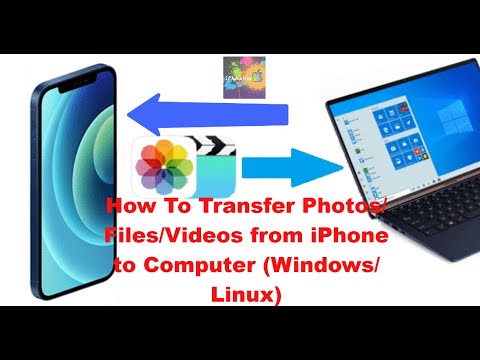
    How To Transfer Photos/Files/Videos from iPhone to Computer (Windows/Linux) PC

    In this step-by-step tutorial, learn how to transfer photos, videos, and music from your iPhone or iPad to your Windows Laptop PC and from...