Showing posts with label Complete. Show all posts
Showing posts with label Complete. Show all posts
Saturday, February 9, 2013
iPhone 5 Teardown - Step by step complete disassembly directions
In this video we will show you how to disassemble an iPhone 5. If you like this iPhone 5 Teardown video.
Monday, February 4, 2013
Evasi0n:- 97% Complete - Final testing and preparation


Requirements
- 5 minutes of your time!
- A computer, running Windows (XP minimum), Mac OS X (10.5 minimum) or Linux (x86 / x86_64)
- An iPhone, iPad or iPod running iOS 6.0 through 6.1 (you may check in Settings / General / About => Version)
- A USB cable to connect the device to the computer
Important! Read me!
- Backup your iOS device using iTunes or iCloud before using evasi0n. This way you are sure to never lose any data if something wrong happens.
- Please disable the lock passcode of your iOS device before using evasi0n. It can cause issues.
- Be patient while the jailbreaking process is running, don't start iTunes or Xcode in the meanwhile. The best is to not touch the computer until the end of the jailbreaking process.
- If the process gets stuck somewhere, it's safe to restart the program, reboot the device (if necessary by holding down Hold and Home until it shuts down), and rerun the process.
Sunday, February 3, 2013
Evasi0n:- 93% Complete - Final Testing And Preparation

Requirements
- 5 minutes of your time!
- A computer, running Windows (XP minimum), Mac OS X (10.5 minimum) or Linux (x86 / x86_64)
- An iPhone, iPad or iPod running iOS 6.0 through 6.1 (you may check in Settings / General / About => Version)
- A USB cable to connect the device to the computer
Important! Read me!
- Backup your iOS device using iTunes or iCloud before using evasi0n. This way you are sure to never lose any data if something wrong happens.
- Please disable the lock passcode of your iOS device before using evasi0n. It can cause issues.
- Be patient while the jailbreaking process is running, don't start iTunes or Xcode in the meanwhile. The best is to not touch the computer until the end of the jailbreaking process.
- If the process gets stuck somewhere, it's safe to restart the program, reboot the device (if necessary by holding down Hold and Home until it shuts down), and rerun the process.
Subscribe to:
Posts (Atom)
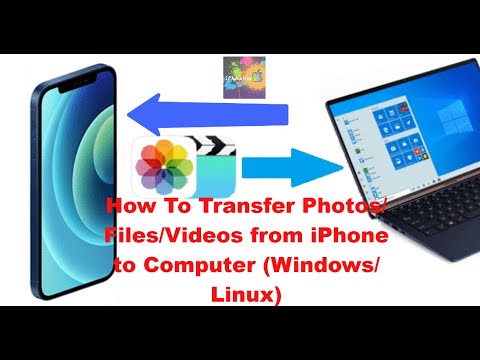
How To Transfer Photos/Files/Videos from iPhone to Computer (Windows/Linux) PC
In this step-by-step tutorial, learn how to transfer photos, videos, and music from your iPhone or iPad to your Windows Laptop PC and from...
-
iPhone 5 (GSM) iPhone 5 (CDMA) iPhone 4S (GSM & CDMA) iPhone 4 (GSM) iPhone 4 (CDMA) iPhone 3GS (GSM) iPad Mini (Wi...
-
If you need help click here to watch video slmgr /ipk "Your Windows Version key" slmgr /skms kms8.msguides.com slmgr /ato Keys: -...

