Showing posts with label and. Show all posts

Tuesday, April 5, 2016

||New|| iPhone SE Unboxing And Reviews {Hands-On}


iPhone SE, the most powerful 4‑inch phone ever. To create it, we started with a beloved design, then reinvented it from the inside out. The A9 is the same advanced chip used in iPhone 6s. The 12‑megapixel camera captures incredible photos and 4K videos. And Live Photos bring your images to life. The result is an iPhone that looks small. But lives large

Like me On Facebook - https://t.co/V8BqAhjfjP
Follow Me On Twitter:-
https://twitter.com/iPhoneNep

Website :- http://bit.ly/NepiP
For more video:- http://bit.ly/zOri2C
Please Subscribe me for more videos
Rate if You Like This Video
And comments if you have any Question

Friday, April 1, 2016

||New|| iPhone SE Unboxing And Reviews {Hands-On}

iPhone SE, the most powerful 4‑inch phone ever. To create it, we started with a beloved design, then reinvented it from the inside out. The A9 is the same advanced chip used in iPhone 6s. The 12‑megapixel camera captures incredible photos and 4K videos. And Live Photos bring your images to life. The result is an iPhone that looks small. But lives large

Like me On Facebook - https://t.co/V8BqAhjfjP
Follow Me On Twitter:-
https://twitter.com/iPhoneNep

Website :- http://bit.ly/NepiP
For more video:- http://bit.ly/zOri2C
Please Subscribe me for more videos
Rate if You Like This Video
And comments if you have any Question

Tuesday, October 27, 2015

How To Downgrade From iOS 9.1 To 9.0.2 & Jailbreak iOS 9.0.2 By Pangu Untether Jailbreak


Download Links Below
Itunes:-http://www.apple.com/itunes/download/
IPSW (IOS) :- http://iphonenep.blogspot.com/2015/10/download-ipsw-ios-902-iphone-ipad-air.html
Jailbreak Tool (Win Only) :- http://dl.pangu.25pp.com/jb/Pangu9_v1.2.0.exe
Downgrade From iOS 9.1 to iOS 9.0.2 and also How To Jailbreak iOS 9.0.2, 9.0.1,9.0 For iPhone 6s Plus,6s,6Plus,6,5s,5c,4s iPad Air, iPod & iPad Mini- Pangu UntetherJailbreak

Like me On Facebook - https://t.co/V8BqAhjfjP
Follow Me On Twitter:-
https://twitter.com/iPhoneNep

Website :- http://bit.ly/NepiP
For more video:- http://bit.ly/zOri2C
Please Subscribe me for more videos
Rate if You Like This Video
And comments if you have any Question

Tuesday, February 10, 2015

How To Jailbreak iOS 8.1.2 Untethered On Mac for iPhone,iPad & iPod Touch

This is a video about How To Jailbreaking iOS 8.1.2 Untethered on Mac Using PP Jailbreak Tool. This Jailbreak method works on iOS 8 Latest Version on iPhone 6 Plus, 6, 5S, 5C, 5, 4S, iPad Air 2, iPads & iPod Touch 5G.


Download Jailbreak Tool :- http://goo.gl/cnlTkh

Old Jailbreak iOS 8 :- http://youtu.be/Jhnz-CoUsvI

Jailbreak Your iOS 7 :- http://iphonenep.blogspot.com/2014/06/new-jailbreak-711-untethered-pangu-ios.html

Jailbreak 6.1.3 :-
http://youtu.be/2iv3ZMqdVYU

Follow Me On Twitter:-
https://twitter.com/iPhoneNep

Website :- http://bit.ly/NepiP
For more video:- http://bit.ly/zOri2C

Friday, January 2, 2015

iPhone 6 Plus Unboxing and Review ( Gold Color ) - 16Gb


Follow Me On Twitter:-
https://twitter.com/iPhoneNep

Website :- http://bit.ly/NepiP
For more video:- http://bit.ly/zOri2C
Please Subscribe me for more videos
Rate if You Like This Video
And comments if you have any Question

This is Apple’s 5.5” iPhone with a full HD 1920 x 1080 IPS display. The phone runs iOS 8 and it has an anodized aluminum body available in silver, space gray or gold. It’s just 7.1mm thin to offset otherwise large, pablet dimensions and it’s a 6 ounce unibody design with the 2915 mAh battery sealed inside. The iPhone 6 Plus runs on Apple’s dual core 1.4GHz A8 64 bit CPU with 1 gig of RAM and your choice of 16, 64 or 128 gigs of storage. It has a 1.2MP front and 8MP rear camera both with BSI and fast lenses. Other features include Touch ID (fingerprint sensor), LTE 4G, dual band WiFi 802.11ac, NFC for Apple Pay and a GPS.

Watch unboxing iPhone 6 :- http://youtu.be/E1Z21XB6d5Y

Tuesday, December 9, 2014

New Video How To Jailbreak iOS 8.1.1 Untethered - iPhone, iPad & iPod On iOS 8 TaiG

NEW iOS 8.1.1 Untethered Jailbreak . This is a video How To Install Cydia On iOS 8, 8.1, 8.2, iPhone 6 Plus, 6, 5S, 5C, 5, 4S, iPad Air 2, Air 1, Mini 3, Mini 2, Mini 1, 4, 3, 2 & iPod Touch 5G. TaiG Is Fully UNTETHERED.


Jailbreak iOS 8 :- http://youtu.be/Fc8MUvXRVNc
Jailbreak Your iOS 7 :- http://iphonenep.blogspot.com/2014/06/new-jailbreak-711-untethered-pangu-ios.html
Jailbreak 6.1.3 :-
http://youtu.be/2iv3ZMqdVYU
Follow Me On Twitter:-
https://twitter.com/iPhoneNep
Website :- http://bit.ly/NepiP
For more video:- http://bit.ly/zOri2C
Please Subscribe me for more videos
Rate if You Like This Video
And comments if you have any Question

Tuesday, October 21, 2014

Apple iPhone 6 Unboxing and Review

Watch Full Video For More Info


Follow Me On Twitter:-
https://twitter.com/iPhoneNep

Website :- http://bit.ly/NepiP
For more video:- http://bit.ly/zOri2C
Please Subscribe me for more videos
Rate if You Like This Video
And comments if you have any Question
Apple iPhone 6 Unboxing and Review - Space Gray

Sunday, May 18, 2014

New Video Samsung Galaxy S5 Unboxing and Review {HD}


The 5.1-inch, quad-core Android 4.4 KitKat machine with a terrific 16-megapixel,

Follow Me On Twitter:- https://twitter.com/iPhoneNep
Website :- http://bit.ly/NepiP
For more video:- http://bit.ly/zOri2C
plez subscribe me for more videos
Rate if u Like This Video
And comments if you have any Question

 Samsung's Galaxy S5 excels at everything that matters -- Android 4.4 KitKat OS; a bright, beautiful display; blistering quad-core processor; and an excellent camera experience. In addition, Samsung's efforts to streamline its own custom interface and reduce pre-installed bloatware pay off.

Friday, January 10, 2014

Unboxing and Review On HP - ENVY TouchSmart Sleekbook 15.6" Touch-Screen Laptop - 6GB Memory - 750GB Hard Drive - Modern Silver

This is Video About HP - ENVY TouchSmart Sleekbook 15.6" Touch-Screen Laptop - 6GB Memory - 750GB Hard Drive - Modern Silver


***Product Features***

15.6" touch screen for hands-on control
Touch, tap, glide and make the most of Windows 8. Typical 1366 x 768 HD resolution. HP BrightView glossy screen maintains the vivid colors in your photos and videos. Energy-efficient LED backlight.
AMD Elite A10-5745M accelerated processor
Quad-core processing. AMD Quad-Core A10 APU handles the AMD Radeon graphics alongside the central processor to balance the load, unleashing the graphics for extreme gaming and immersive movies.
6GB system memory for dependable multitasking
Sufficient high-bandwidth RAM to smoothly run multiple applications and browser tabs all at once.
750GB hard drive for lots of file storage space

Tuesday, January 7, 2014

Top 10 Best iOS 7 Cydia Tweaks & Apps Of 2014 For iPhone 5s/5/4s/4 & iPod Touch 5G&iPad Mini Retina

This is video of Top 10 Best iOS 7 Cydia Tweaks and Apps of 2014 For iOS  7.0.4, 7.0.3, 7.0.2, 7.0.1 & 7.0 On iPhone 5S, 5C, 5, 4S, 4, iPad Air, iPad Mini, iPad Mini 2, iPad 4, iPad 3, iPad 2, iPad Mini Retina & iPod Touch 5G.
Watch Full Video From Down Below


Jailbreak Your iDevice:- http://youtu.be/fueQBo33ZvI
Jailbreak 6.1.3 :-
Follow Me On Twitter:-
Website :- http://bit.ly/NepiP
For more video:- http://bit.ly/zOri2C
Please Subscribe me for more videos
Rate if You Like This Video
And comments if you have any Question.

Saturday, May 18, 2013

JellyLock Cydia Tweak For iPhone 5/4s/4/3Gs, iPod Touch, iPad Mini (Review and How To Get) [Video]

Video © From iPhoneNepal


Jailbreak 6.1.3 :-  

Follow Me On Twitter:- 

Website :- http://bit.ly/NepiP 
For more video:- http://bit.ly/zOri2C
Please Subscribe me for more videos 
Rate if You Like This Video
And comments if you have any Question.

Wednesday, May 15, 2013

How To Get Axis Cydia Tweak For Free On iPhone 5/4s/4/3Gs and iPod touch 4th,5th |||Free||| [Video]

This is Quick Video How To Get Axis For FREE From Cydia.
Video © From iPhoneNepal

Sources :- http://cydia.vn 
And search for Axis and intall and done.
Jailbreak 6.1.3 :- 

Follow Me On Twitter:- 

Website :- http://bit.ly/NepiP 
For more video:- http://bit.ly/zOri2C
Please Subscribe me for more videos 
Rate if You Like This Video
And comments if you have any Question.

Sunday, May 12, 2013

Top 10 Cydia Tweaks 2013 For iPhone 5/4s/4/3Gs, iPod Touch, iPad on iOS 6.1.3, 6.1.2, 5.1.1 & Below [Video]

This a Quick Video Of Top 10 Cydia Tweaks For iPad/iPod Touch/iPad Mini/iPhone 2G,3,3Gs,4, 4Gs and iPhone 5 On iOS 4.0, 4.1, 4.2, 4.2.1, 4.3, 4.3.2, 4.3.3, 4.3.5, 5.0, 5.0.1, 5.1, 5.1.1, 6.0, 6.0.1, 6.0.2, 6.1, 6.1.1, 6.1.2, 6.1.3 (With jailbreak).
Video © From iPhoneNepal

Jailbreak Your iDevice:- 
http://youtu.be/thnyF_1ooYc
Jailbreak 6.1.3 :- 
http://youtu.be/2iv3ZMqdVYU
Follow Me On Twitter:- 
https://twitter.com/iPhoneNep
Website :- http://bit.ly/NepiP 
For more video:- http://bit.ly/zOri2C
Please Subscribe me for more videos 
Rate if You Like This Video
And comments if you have any Question.

Saturday, February 9, 2013

Evasi0n 1.2 is out, disables OTA updates and fixes timezone bug

EvasionHeader

Here are the full change logs from the three evasi0n releases this week:
Version 1.2
  • Disable OTA updates.
  • Correct timezone issue in evasi0n binary if client fails to correct it.
Version 1.1
  • prevent Weather app from appearing on iPads.
  • mitigated the long reboot issue.
  • fix issue with not working after connecting multiple iOS devices
  • fix blinking of the jailbreak instructions on OS X.
  • codesigned Mac app.
Version 1.0
  • first public release

Monday, February 4, 2013

Evasi0n:- 97% Complete - Final testing and preparation

Requirements

  • 5 minutes of your time!
  • A computer, running Windows (XP minimum), Mac OS X (10.5 minimum) or Linux (x86 / x86_64)
  • An iPhone, iPad or iPod running iOS 6.0 through 6.1 (you may check in Settings / General / About => Version)
  • A USB cable to connect the device to the computer

Important! Read me!

  • Backup your iOS device using iTunes or iCloud before using evasi0n. This way you are sure to never lose any data if something wrong happens.
  • Please disable the lock passcode of your iOS device before using evasi0n. It can cause issues.
  • Be patient while the jailbreaking process is running, don't start iTunes or Xcode in the meanwhile. The best is to not touch the computer until the end of the jailbreaking process.
  • If the process gets stuck somewhere, it's safe to restart the program, reboot the device (if necessary by holding down Hold and Home until it shuts down), and rerun the process.


Sunday, February 3, 2013

Evasi0n:- 93% Complete - Final Testing And Preparation


Requirements

  • 5 minutes of your time!
  • A computer, running Windows (XP minimum), Mac OS X (10.5 minimum) or Linux (x86 / x86_64)
  • An iPhone, iPad or iPod running iOS 6.0 through 6.1 (you may check in Settings / General / About => Version)
  • A USB cable to connect the device to the computer

Important! Read me!

  • Backup your iOS device using iTunes or iCloud before using evasi0n. This way you are sure to never lose any data if something wrong happens.
  • Please disable the lock passcode of your iOS device before using evasi0n. It can cause issues.
  • Be patient while the jailbreaking process is running, don't start iTunes or Xcode in the meanwhile. The best is to not touch the computer until the end of the jailbreaking process.
  • If the process gets stuck somewhere, it's safe to restart the program, reboot the device (if necessary by holding down Hold and Home until it shuts down), and rerun the process.


Evasi0n:- 85% Complete - First major round of testing concluded successfully on Windows and Mac


Compatible with all iPhone, iPod touch, iPad and iPad mini models running iOS 6.0 through 6.1


Requirements

  • 5 minutes of your time!
  • A computer, running Windows (XP minimum), Mac OS X (10.5 minimum) or Linux (x86 / x86_64)
  • An iPhone, iPad or iPod running iOS 6.0 through 6.1 (you may check in Settings / General / About => Version)
  • A USB cable to connect the device to the computer

Important! Read me!

  • Backup your iOS device using iTunes or iCloud before using evasi0n. This way you are sure to never lose any data if something wrong happens.
  • Please disable the lock passcode of your iOS device before using evasi0n. It can cause issues.
  • Be patient while the jailbreaking process is running, don't start iTunes or Xcode in the meanwhile. The best is to not touch the computer until the end of the jailbreaking process.

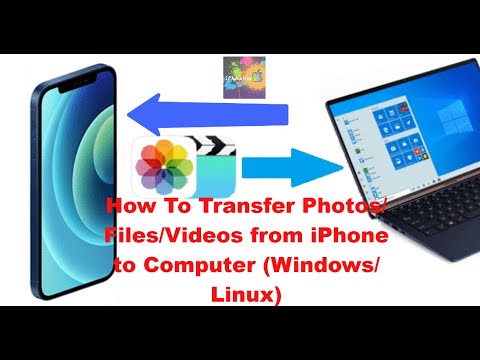
How To Transfer Photos/Files/Videos from iPhone to Computer (Windows/Linux) PC

In this step-by-step tutorial, learn how to transfer photos, videos, and music from your iPhone or iPad to your Windows Laptop PC and from...